Designing a flexible ticketing system for complex construction workflows

3D Repo is a construction collaboration platform used to coordinate information, issues and tasks across complex projects.
I designed a custom ticketing experience that allowed teams to create their own ticket structures while keeping the experience consistent, understandable and connected to the wider platform.
The challenge was balancing flexibility with usability, giving teams control over what they captured without creating another complicated configuration tool.
Giving teams control without creating another complex tool
The existing ticketing experience was designed around a fixed structure. That worked for common use cases, but construction projects often have their own terminology, issue types and ways of working.
Users needed to create tickets around their specific workflows — deciding which information mattered, how it should be organised and where those tickets should appear across the product.
The challenge was to make that flexibility feel simple and predictable, rather than turning ticket creation into another system users had to learn.
UNDERSTANDING THE USERS
Different projects needed different ways of working
I combined stakeholder conversations, user feedback and competitor analysis to understand where the existing experience fell short and what a more flexible system needed to support.
The research highlighted three recurring needs:
Customisation
Teams wanted ticket structures that reflected the requirements of individual projects.
Efficiency
Creating and managing tickets needed to be faster than rebuilding the same information repeatedly.
Consistency
Customisation couldn't come at the cost of a familiar experience across the wider platform.
COMPETITIVE RESEARCH
Learning from how established platforms handle configuration
I reviewed comparable construction and project-management products including Procore and Bentley ProjectWise to understand how they approached information density, customisation and ticket management.
The review highlighted several opportunities for 3D Repo:
Reduce information overload by prioritising the fields users actually need.
Make configuration feel connected to the existing product rather than like a separate administration tool.
Use familiar patterns for grouping, filtering and status.
Give users flexibility while maintaining a strong visual hierarchy.
Comparing configuration patterns across existing platforms
Reviewing established construction software helped identify where competing products created flexibility, and where complexity started to get in the way.

DEFINING THE EXPERIENCE
Designing a system that could adapt to the project
Rather than designing a single ticket template, I approached custom tickets as a configurable system.
Users needed to be able to combine different fields and modules, create templates around their workflow and then use those tickets consistently across multiple project views.
The model had to support:
Create
Define what information a ticket contains.
Configure
Adapt the structure to the project.
Use
Create tickets using the configured template.
Review
Surface the same information consistently across different views.
USER FLOW
Mapping the journey from idea to tested feature
The feature wasn't treated as a single UI task. I mapped the workflow across product scoping, research, design, development and testing so that decisions could be reviewed at the right point in the process.
The flow shows how the work moved from:
From feature definition to validation
Mapping the design workflow made the review points, dependencies and feedback loops visible before development began.

DESIGNING THE CONFIGURATION EXPERIENCE
Making customisation understandable
The first interaction needed to make it immediately clear what users were configuring and what the resulting ticket would look like.
I explored low-fidelity flows before moving into UI, focusing on:
How users select the context for a ticket
How ticket types are defined
How information is grouped
How much configuration should be exposed at once
How the resulting ticket would translate into the wider product
The aim was to reduce configuration decisions to meaningful choices, rather than exposing every available option at once.
Starting with context before configuration
The experience first established the project context and ticket type, helping users make the right configuration decisions before defining the ticket itself.

THE CORE TICKET EXPERIENCE
Turning configuration into a repeatable workflow
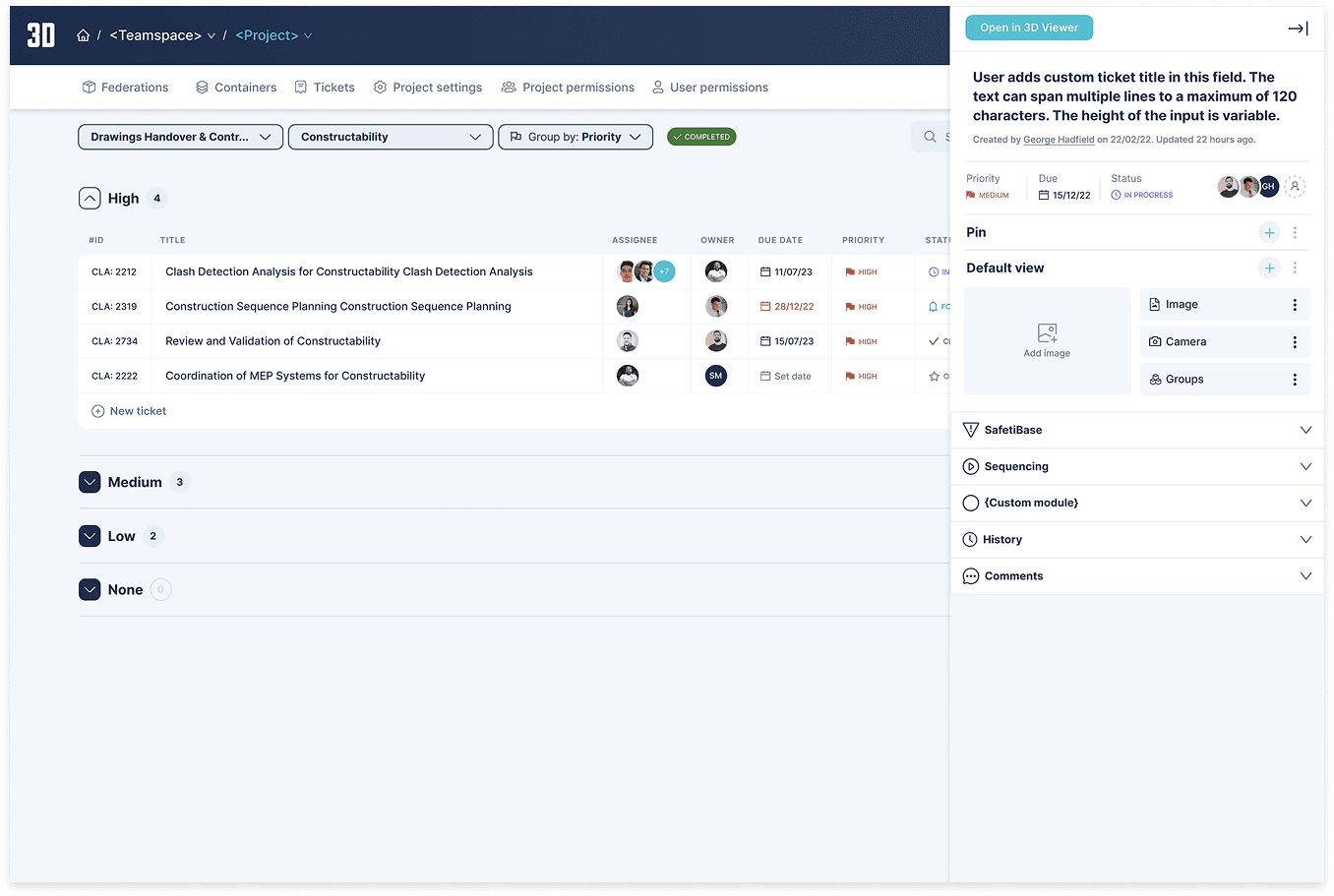
Once a ticket structure had been created, the focus shifted to making the resulting experience efficient to scan and manage.
The interface brought together the information users needed to understand:
what the issue was
who owned it
when it needed attention
its current status
its level of risk
how it was being treated
The design used grouping, hierarchy and status cues to make large numbers of tickets easier to scan without removing useful detail.
Making complex ticket data scannable
A consistent hierarchy helped users quickly understand priority, ownership, status and risk while keeping the underlying ticket information available.

ONE SYSTEM, MULTIPLE VIEWS
Keeping custom tickets consistent wherever they appear
A key requirement was that custom tickets shouldn't become isolated objects.
The same ticket structure needed to work across different views, from list and table views through to project dashboards and the 3D environment.
That meant separating the information model from the way it was presented, allowing the same underlying data to remain consistent while adapting to different contexts.
One ticket model across different contexts
The same underlying ticket information could be surfaced differently depending on the user's task, from scanning a list to investigating an issue inside the 3D environment.
UNDERSTANDING DIFFERENT NEEDS
Designing for project managers, not just ticket creators
Project managers needed to move quickly between issues, understand what needed attention and tailor the system to their project's way of working.
The persona helped turn those needs into concrete design requirements around:
Customisation
Configure tickets around project-specific workflows.
Efficiency
Reduce repetitive ticket creation.
Communication
Give teams a shared structure for managing issues.
Integration
Keep ticket information connected to the wider 3D Repo experience.
Testing the workflow before development
Prototypes were used to identify usability issues early, allowing the interaction model to be refined before the feature moved into development.

ITERATION
Using testing to remove friction
I used prototypes and user testing to validate the experience before development, focusing on whether users could understand the configuration model and complete common ticketing tasks without unnecessary support.
Feedback was used to refine:
information hierarchy
terminology
configuration steps
ticket creation
filtering and grouping
interaction patterns
This also gave the development team a clearer set of decisions to implement.
DEVELOPMENT + QA
Designing with engineering, not handing designs over
The feature was developed alongside the existing 3D Repo platform, so I worked closely with engineering throughout implementation.
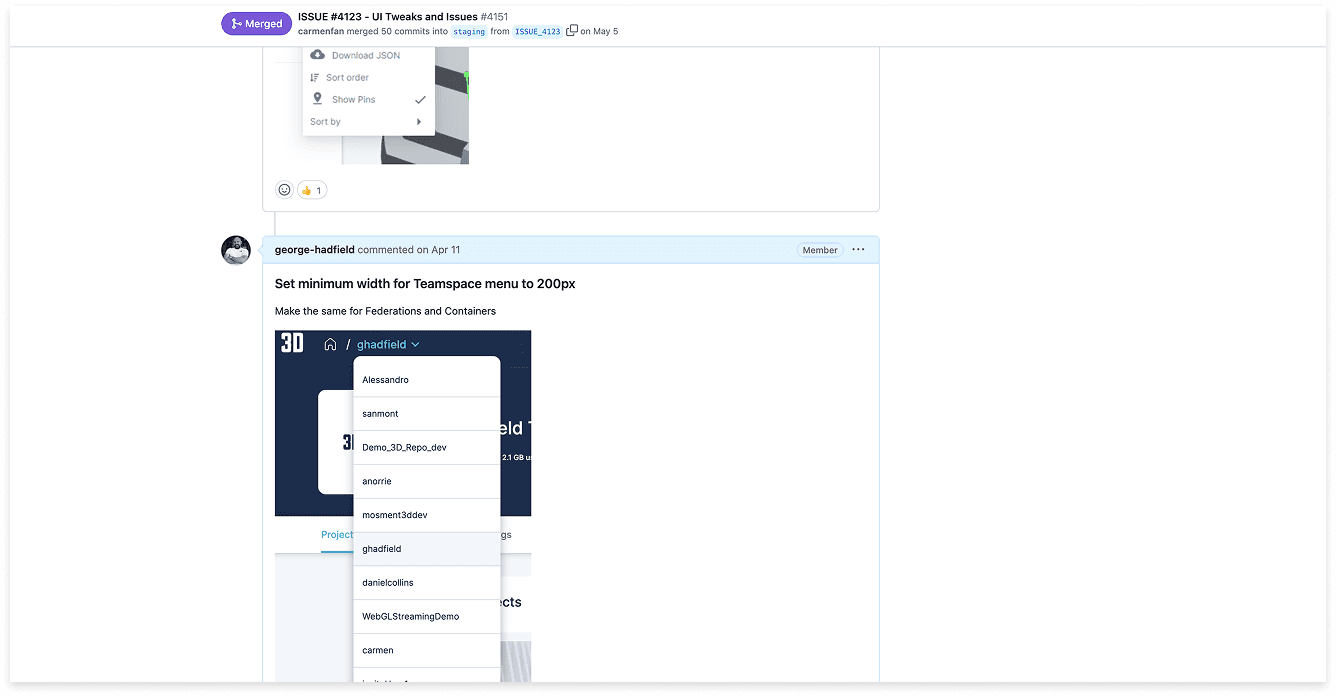
Regular design reviews helped ensure the final product stayed aligned with the intended interaction model while still working within technical constraints and the realities of the release.
Keeping design intent visible through delivery
Regular reviews with engineering helped resolve implementation questions early and maintain consistency between the designed and shipped experience.
SYSTEM THINKING
Turning one feature into reusable product patterns
The project also established reusable patterns for configurable fields, status, grouping, filtering and ticket presentation.
Rather than solving each screen independently, I treated custom tickets as part of the wider product system.
This helped create a foundation that could support additional ticket types and workflows without having to reinvent the interaction model each time.
OUTCOME
A more flexible way to manage project issues
The custom ticket experience gave project teams more control over how they structured and managed project issues while keeping the experience connected to the wider 3D Repo platform.
What changed
More flexibility
Teams could create ticket structures around project-specific requirements.
Better efficiency
Reusable templates reduced repetitive ticket creation.
Clearer collaboration
A shared structure made it easier for teams to understand, manage and communicate around issues.
A scalable foundation
The underlying model could support different views and future workflows without creating a completely different experience each time.
REFLECTION
The challenge wasn't making tickets customisable. It was making customisation feel simple.
The project reinforced something I still apply to complex products today: flexibility is only useful when users can understand it.
The strongest solution wasn't to expose more options. It was to give users meaningful control, establish clear patterns and keep the underlying experience consistent.
That balance between user control and cognitive load became the foundation for the feature, and is a principle I continue to bring into complex product design.