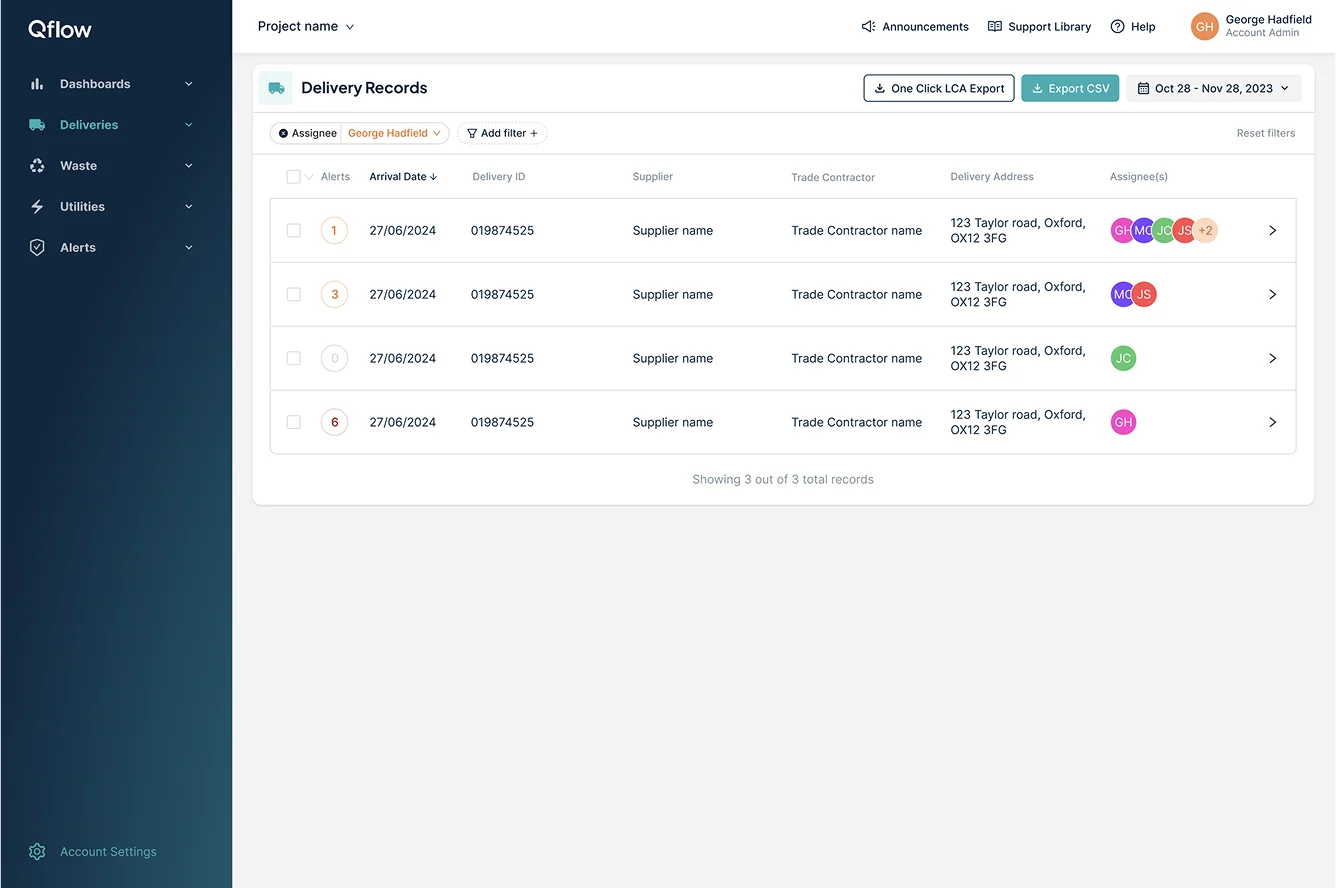
Turning construction paperwork into actionable project data

Construction teams relied on delivery notes, spreadsheets and manual checks to verify that materials arriving on site matched what had been specified.
I designed a workflow that captured delivery information on site, automatically extracted key data and compared it against project specifications, helping teams identify discrepancies and focus attention where it mattered.
The design question
How might we turn delivery documentation into structured project data, then help construction teams understand what needs attention?
The information existed. The problem was connecting it.
Construction projects generate huge amounts of information about materials, suppliers, deliveries and specifications. But much of the verification process happened outside the product.
A delivery would arrive on site, information would be captured from a physical document, and someone would then need to compare it against the original project specification.
The process was manual, disconnected and difficult to prioritise.
Capture was manual
Important delivery information had to be recorded from physical documents.
Verification was disconnected
Teams had to compare what arrived against what had originally been specified.
Risk was difficult to prioritise
Not every discrepancy mattered equally, but the workflow didn't make that distinction easy.
RESEARCH
Start with the reality of the site, not the ideal workflow
Construction teams work in environments where speed, clarity and reliability matter. Before designing the interface, I needed to understand how delivery information was actually captured, checked and acted on.
I spoke with contractors and site teams and mapped the journey from a delivery arriving on site through to verification. This exposed where manual effort entered the process, where information was lost between systems, and where users had to make judgement calls.

What I learned
Capture happens in the real world
Delivery information is created on paper and captured in busy site environments. The experience needed to minimise typing and support quick, reliable capture.
Verification requires context
A delivery only becomes meaningful when it is compared against what was originally specified. The workflow needed to bring both sides of that comparison together.
Attention is limited
Users don't need to investigate every delivery equally. The system needed to surface the exceptions and risks most likely to require action.
UNDERSTANDING THE USER FLOWS
Designing around the reality of the workflow
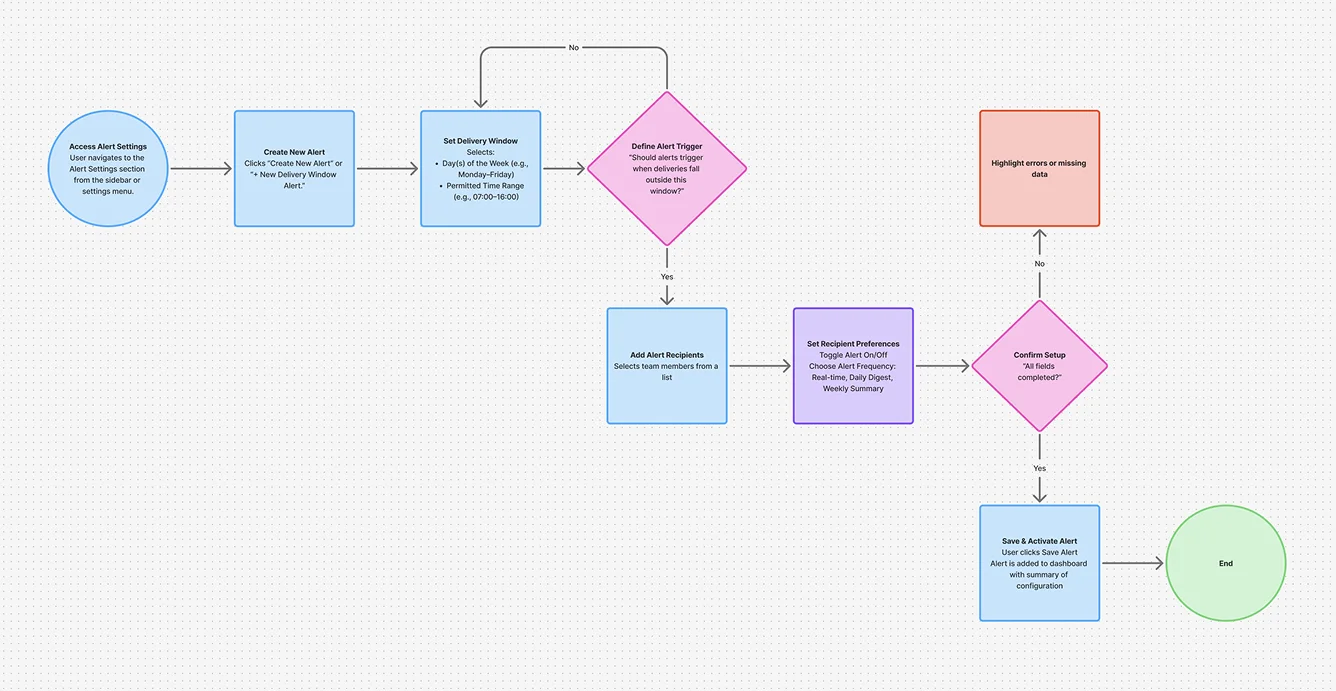
Before designing the interface, I mapped the end-to-end journey from material delivery through verification and evidence capture. This helped identify where users needed to move quickly on site, where information could be missed, and where more detailed review was needed later.
Understanding the workflow meant designing for two very different contexts: people capturing and checking information on site, and stakeholders reviewing that information from the desktop platform.
Mapped end-to-end journeys from material delivery through verification and evidence capture, identifying friction and opportunities for better support.
Defined key user roles and responsibilities so the experience worked for both on-site teams and off-site stakeholders.
Explored edge cases and failure points including missing data, incorrect materials and low-risk deliveries.
Balanced mobile and desktop needs, connecting quick on-site actions with deeper review and approval workflows.
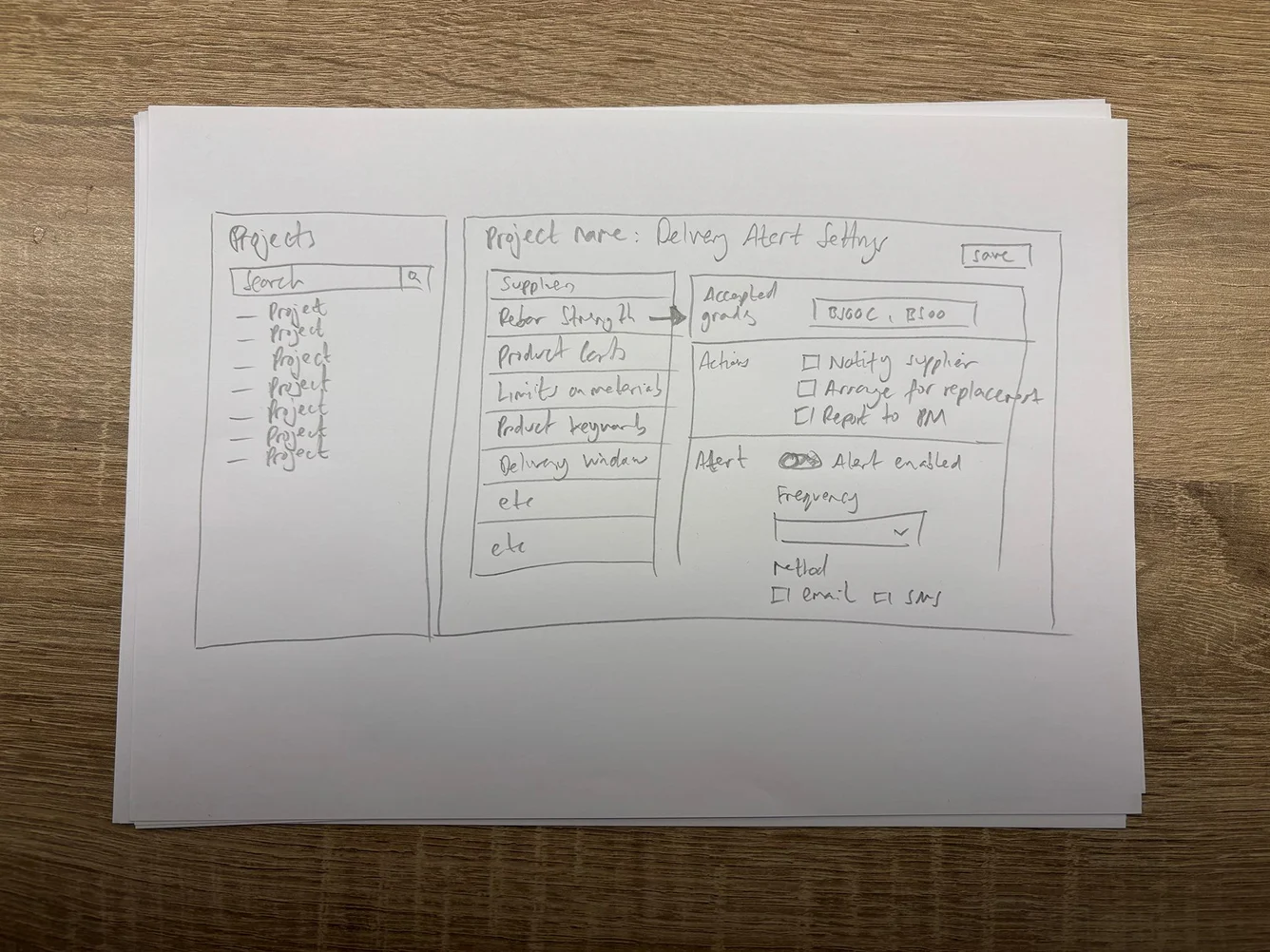
DESIGN APPROACH
From physical document to verified material
I designed the workflow around five connected steps, moving information from an unstructured physical document towards a verified project record.
Capture
Photograph the delivery document
Interpret
OCR + AI identify relevant information
Structure
Map information to the project data model
Verify
Compare against project specifications
Prioritise
Surface exceptions based on alert rules

CAPTURING AND INTERPRETING DATA
Turning a site photo into actionable project data
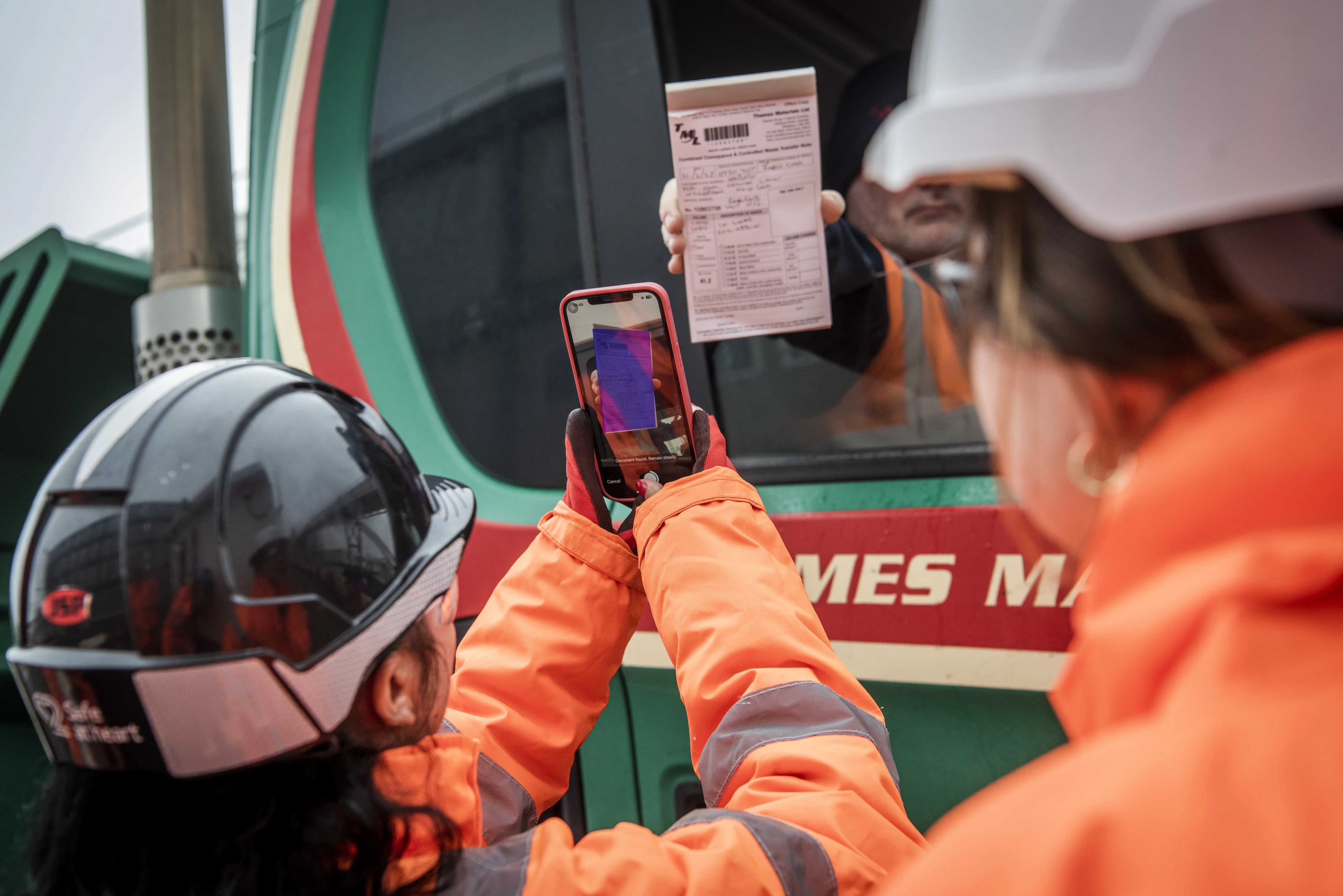
The first step was removing manual data entry at the point where information was created.
Users could photograph delivery documentation directly through the Qflow app. OCR extracted the text from the image, while an AI layer interpreted the captured information and mapped it to the relevant fields within the project.
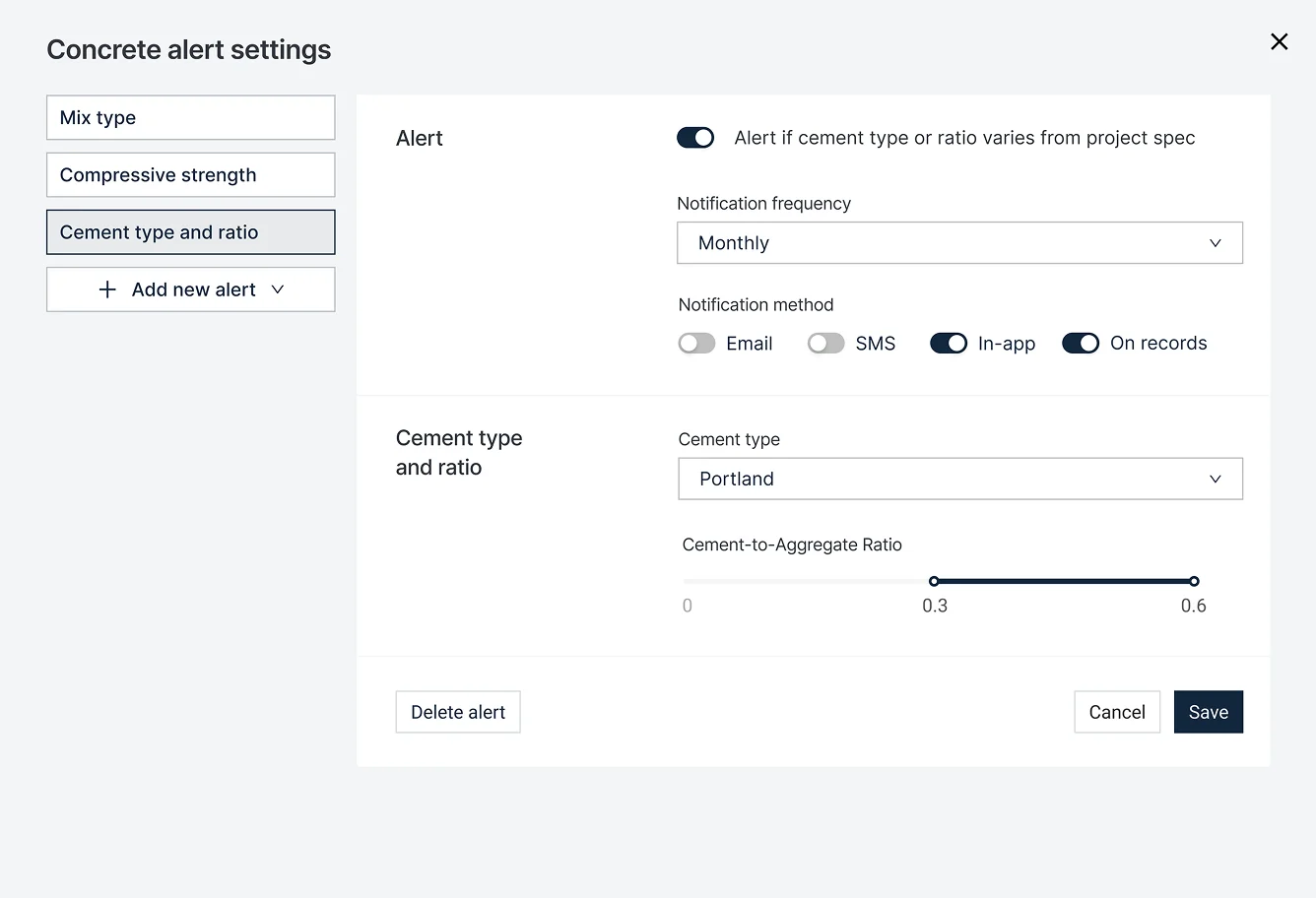
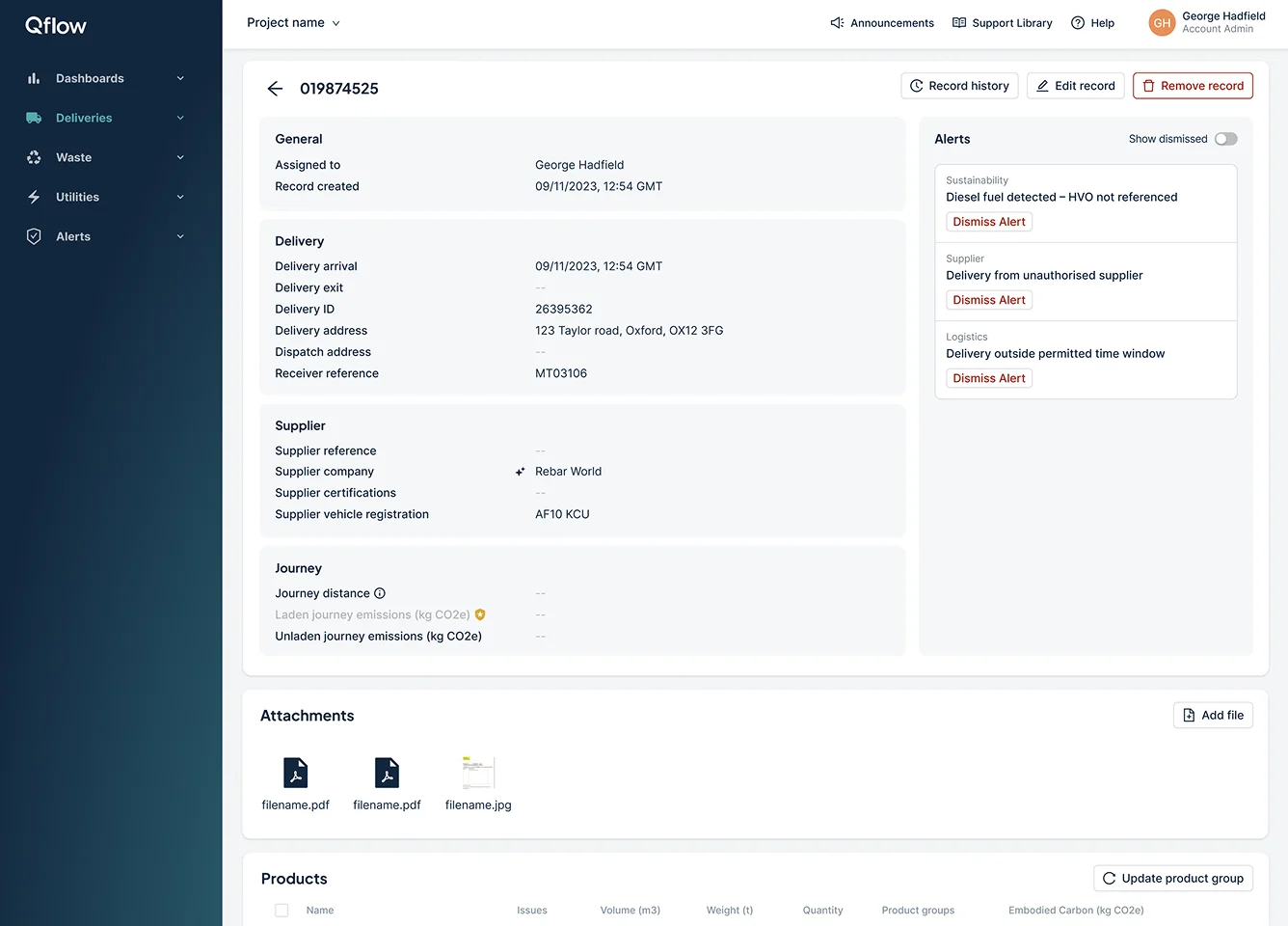
The system could then evaluate the structured data against configured alert rules, identifying deliveries that required attention without asking users to manually check every record.
From document to decision
A delivery document is captured in the Qflow app, interpreted through OCR and AI, then mapped into structured project data. Alert rules determine whether the resulting information needs further attention.
MATCHING AGAINST THE SPECIFICATION
Make discrepancies visible before they become problems
Once delivery information had been captured, the system compared it against the original BIM specifications and project requirements.
The key UX challenge wasn't showing more data. It was helping users understand the relationship between two sets of information:
What was specified vs what was delivered
I designed the comparison so that the outcome was immediately visible, with supporting information available when users needed to understand why something had been flagged.
HELPING TEAMS FOCUS
Not every discrepancy deserves the same attention
Once the system could identify potential issues, the next challenge was deciding how those issues should be surfaced.
Not every discrepancy represented the same level of risk. The interface therefore needed to distinguish between routine information and exceptions that could have a greater impact on the project.
I prioritised high-risk materials and paired the alert with enough context to help users understand what had changed, why it mattered and where to investigate further.
INFORMATION ARCHITECTURE
Give users the answer before asking them to interpret the data
There was a lot of information available - product names, quantities, suppliers, specifications, delivery information and risk indicators.
Rather than presenting this as a flat set of data, I structured the experience around the questions users needed to answer:
This created a clearer hierarchy between the initial signal and the supporting evidence, allowing users to move from signal to detail without having to interpret the entire dataset first.
Is everything ok?
What needs my attention?
Why has it been flagged?
What should I do next?
TESTING THE EXPERIENCE
The edge cases shaped the product
The happy path was relatively straightforward. The difficult cases were where the experience needed to work harder.
Testing exposed issues around incomplete delivery information, uncertain material matches and the different ways users interpreted risk and verification states.
These findings influenced the information hierarchy, terminology and component states, particularly how uncertainty was communicated and how much context users needed before taking action.
Problem
Incomplete / ambiguous material data
Feedback
Users weren't confident what the state meant
Design change
Clearer state and supporting context
BUILDING FOR SCALE
Designing the workflow as part of a wider product system
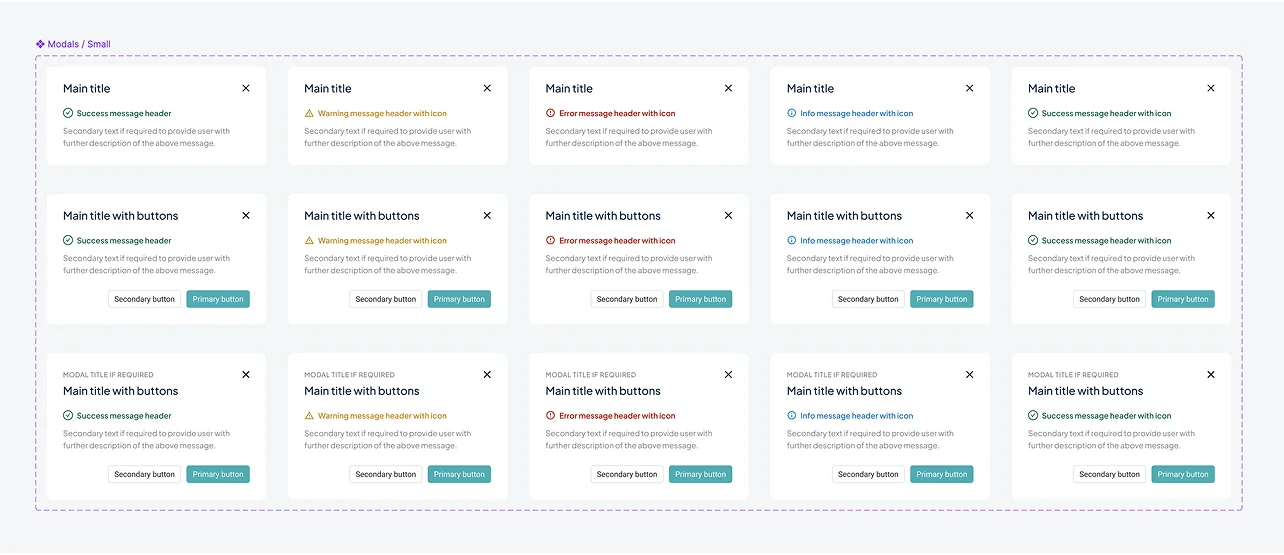
Materials Verification wasn't designed in isolation. I used the project to establish reusable patterns for alerts, states, data presentation and verification workflows across Qflow.

KEY DESIGN OUTCOMES
Turning manual verification into targeted action
The Materials Verification workflow transformed delivery documentation from a static record into structured project information that could be checked against specifications and prioritised by risk.
The result was a more targeted verification workflow that reduced manual checking while making it easier for teams to understand where attention was required.
92%
of users rated the alert configuration flow easy or very easy.
40%
reduction in manual verification checks through targeted alerts.
By combining automated capture, structured verification and configurable alerts, the workflow reduced the amount of routine checking while making exceptions easier to identify and investigate.
REFLECTION
Designing for complexity doesn't mean exposing it
The biggest lesson from the project was that simplifying a complex workflow isn't about removing information. It's about deciding when information becomes useful.
By automating capture, structuring verification and prioritising the signals that needed attention, the experience could support a complex construction workflow without forcing users to understand the complexity behind it.